Parent Message Board

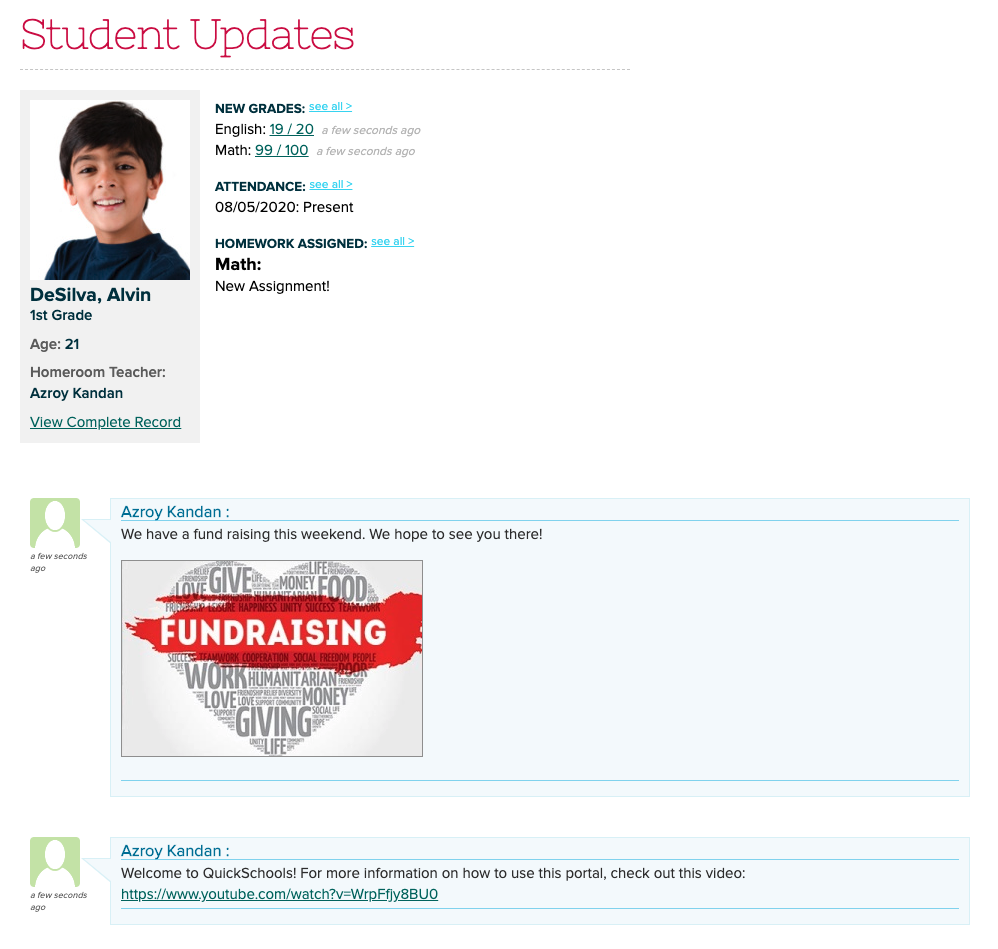
The Parent Message Board is a great way to share information with parents in an unobtrusive manner in QuickSchools. Parents simply see these messages when logging into the Parent Portal. New messages appear at the bottom of the Home screen, just below the Student Updates:

Parent Message Board on the Parent Portal

As an administrator, just to go to the “Parent Portal” menu to post messages. Images are automatically displayed on screen. You can also share links and files too:

Read More »

Use Case: Single-Term Yearly Gradebook

The Admin Columns feature has given our users the ability to add grading columns to all gradebooks in one go. There are many other benefits to the admin columns that you can take advantage of in Quickschools. Two little known features would be the ability to specify date ranges, and the meta-id field. In the following example, we demonstrate how you can setup your gradebook using only a single yearly term, while having the gradebook broken down into multiple terms.

To that end, QuickSchools offers an add-on service to build custom templates for you. And with a custom Report Card template, you can make use of the Gradebook Default Columns which provide more structure in the way grades are transferred from the Gradebook to the Report Cards.

With ONE single yearly term, each subject will have ONE cumulative Gradebook for the entire school year, allowing teachers to use grades from the entire year when calculating final grades for each academic term and the final school year.

In the screenshot below, we have an admin column for each quarter in the year. These could also be configured as trimester or semester, depending on what’s needed for your academic year setup.

Each of the admin columns has a date range specified, as well as the meta-id. The meta-id is provided by our support team, and designates a particular column in the report card template. This allows the grade in the gradebook to be passed along to the report cards systematically.

Read More »

Google Classroom Integration is LIVE

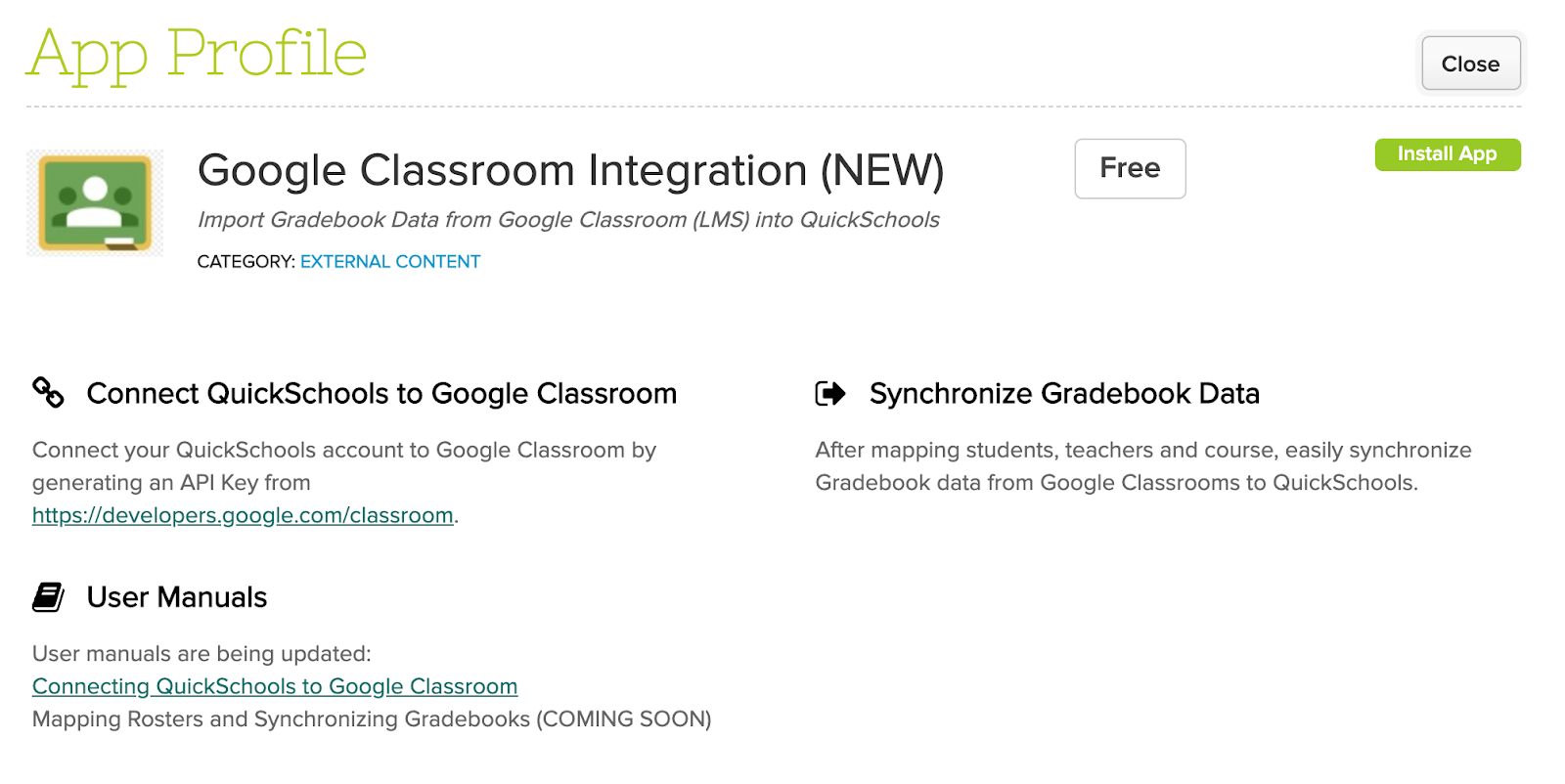
QuickSchools is delighted to announce this exciting new! The Google Classroom (LMS) Integration app has been moved out of Private Beta, and is now readily available on our App Store:

Google Classroom (LMS) Integration with QuickSchools

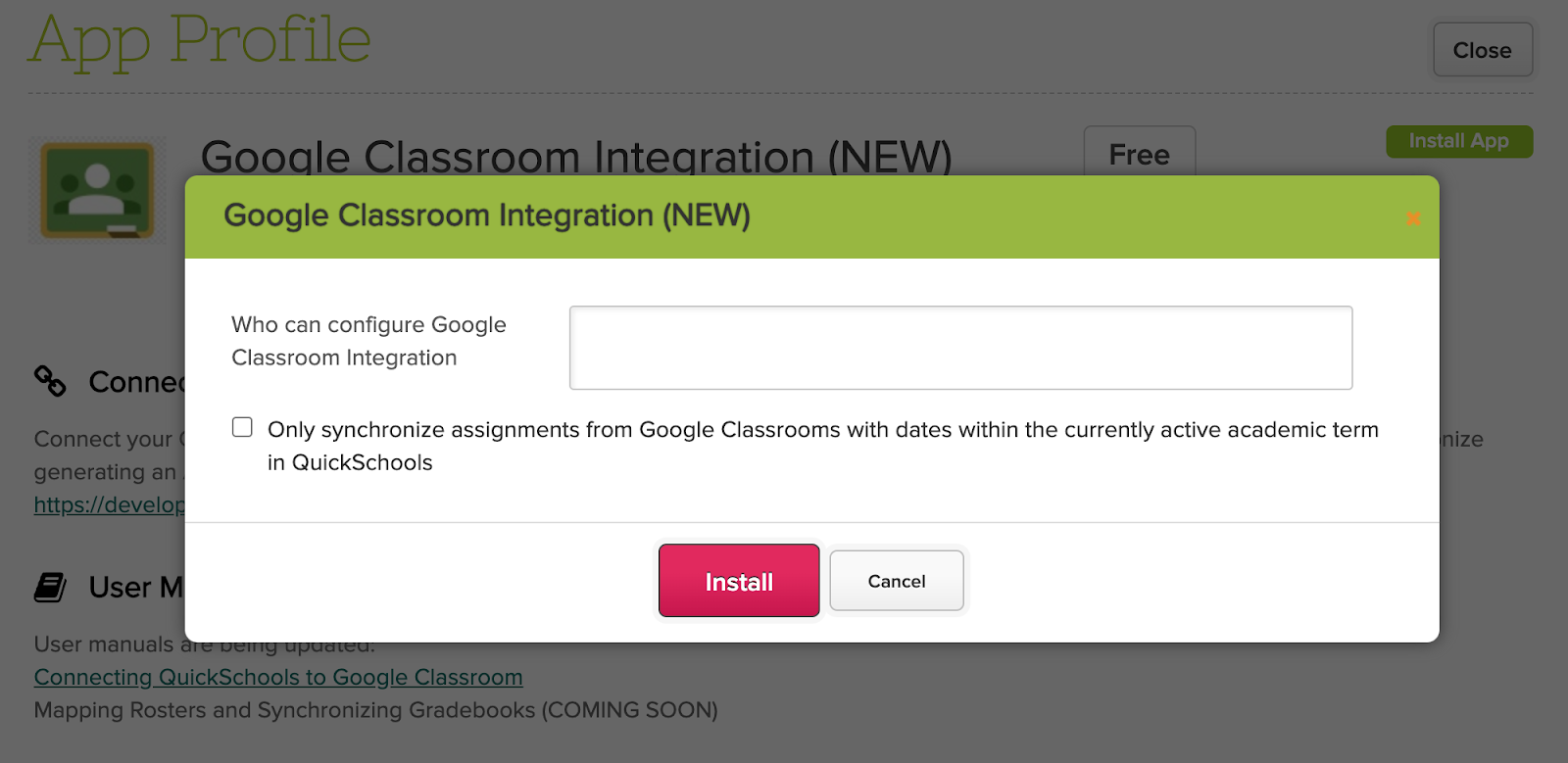
We’ve made several refinements since this app was introduced late last year. One key feature is the new option to “Only synchronize assignments from Google Classrooms with dates within the currently active academic term in QuickSchools”:

Configure the Google Classroom (LMS) Integration

Here are some key features to note about Google Classroom, and how it relates to QuickSchools:

Read More »

Ignitia Integration

Both Odysseyware and Ignitia (LMS) are part of the same company, and thus use the same API framework. For schools using Ignitia, you can actually use the Odysseyware Integration App from the our App Store, to map data and transfer grades. However, it may be confusing to see references to Odysseyware in QuickSchools, if you’re actually using Ignitia.

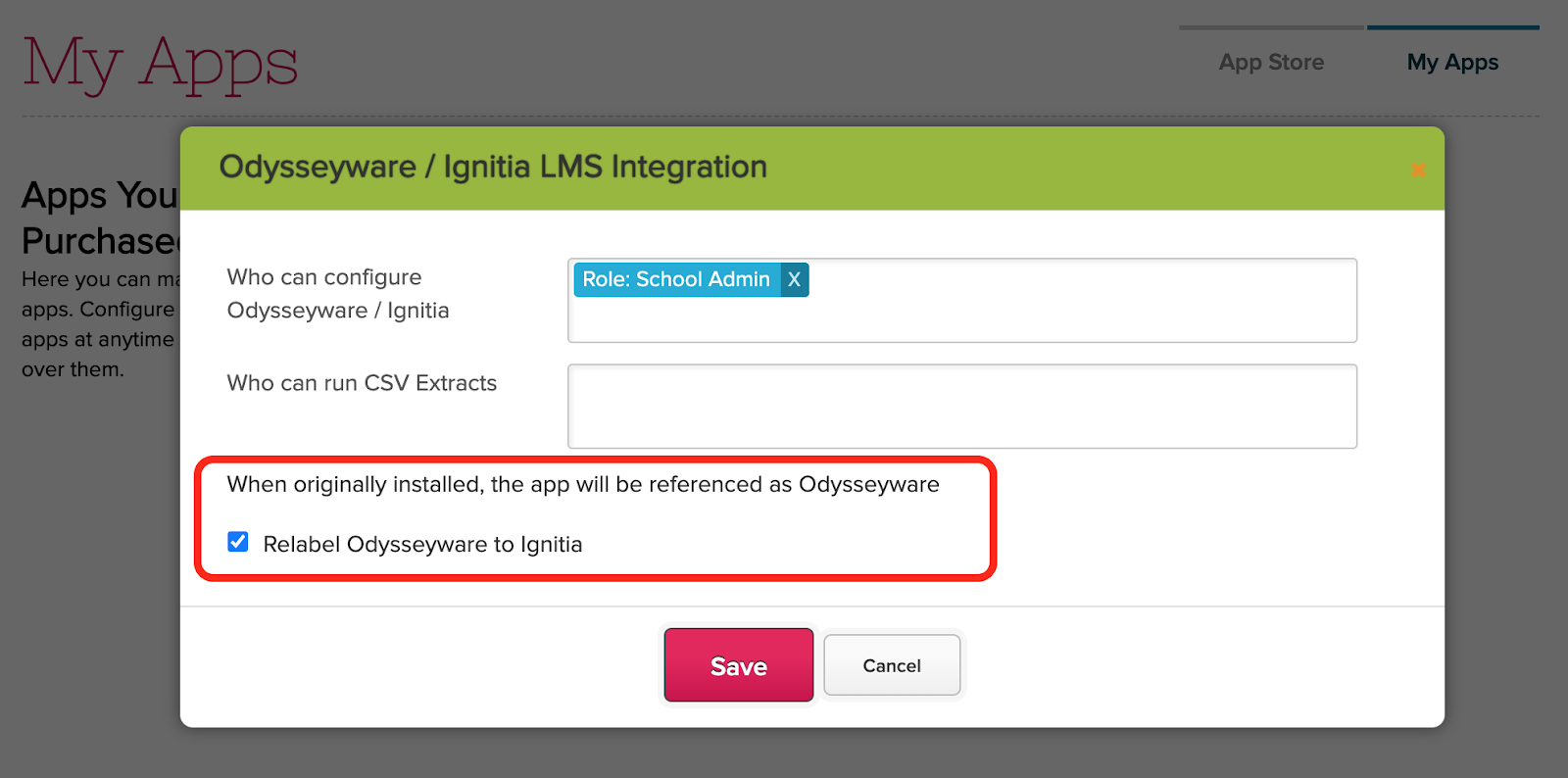
To help improve the experience, if you install the Odysseyware Integration App, you can now relabel the word “Odysseyware” to “Ignitia” when configuring access for the app:

 Ignitia integration with QuickSchools

Once configured, all the screens within your QuickSchools account will say “Ignitia” instead of “Odysseyware”:

Read More »

Advanced Filtering

There is a little known feature within QuickSchools, that allows users to filter the student listing on certain modules based on a custom report from the Report Creator. You’ll need to expand the Search options to view the “Advanced Filtering” option:

Building Reports

You’ll need to have the Report Creator installed and enabled in order to use this feature. With the report creator, you can build custom reports to suit almost any scenario. We’ll illustrate a few examples below.

Here’s an example report that shows all students taking the English course:

Example Report showing Students enrolled in the English course

Here’s an example report that shows all students with the “Allergy” tag:

Read More »

New Release – July 28, 2020

Our focus for this most recent release has been mainly to do with our Learning Management or Online Learning capability. This includes our ability to integrate with external LMS, as well as building our own in-house support.

Here are the latest improvements in QuickSchools:

LMS Integration Improvements

  • Expand Control for Automatic Unenrollment for Google Classroom Integration 
  • Expand Odysseyware Integration App to include Ignitia LMS
  • Improve Error Handling with Canvas Integration App

LMS Features (early Beta)

  • Student can submit assignments online
  • Teachers can review student submissions
  • Live Stream (via integration with Zoom)

Other Bug Fixes / Improvement

  • New Semester Dropdown in Attendance Settings
  • Expand Date Filter functionality for Report Creator
  • Improve reporting on Transcripts via Report Creator
  • Expand Rich-Text support for Homework PDF
  • Fix Gradebook Column Date when copying formulas during semester activation
  • General Framework Improvements to App Store (labelling and access rights)

LMS features in Private Beta

This is now our second iteration in developing internal capabilities for Online Learning. In the last Sprint, we developed a few screens in early alpha. These screens are now in early beta, with the addition of a new Online Conferencing piece via Zoom Integration. We’ll be announcing more on these soon.

View / Join Online Meetings from Student Portal

Support for Changing Semesters

We will be improving several screens/modules to allow users to more easily make changes from previous semesters without having to activate the previous semester. Many screens like the Gradebook, Report Cards and Scheduling modules already support selecting a previous term via a semester dropdown. But some modules like the Attendance module heavily rely on the active term in order to display (and save) information.

Read More »

It’s coming – Zoom

In our last release, we gave you a sneak peak of our upcoming improvements to the QuickSchools Homework / Assignments module. We know schools need to adapt with the changing times, and so we’re beefing up our Online Learning capabilities

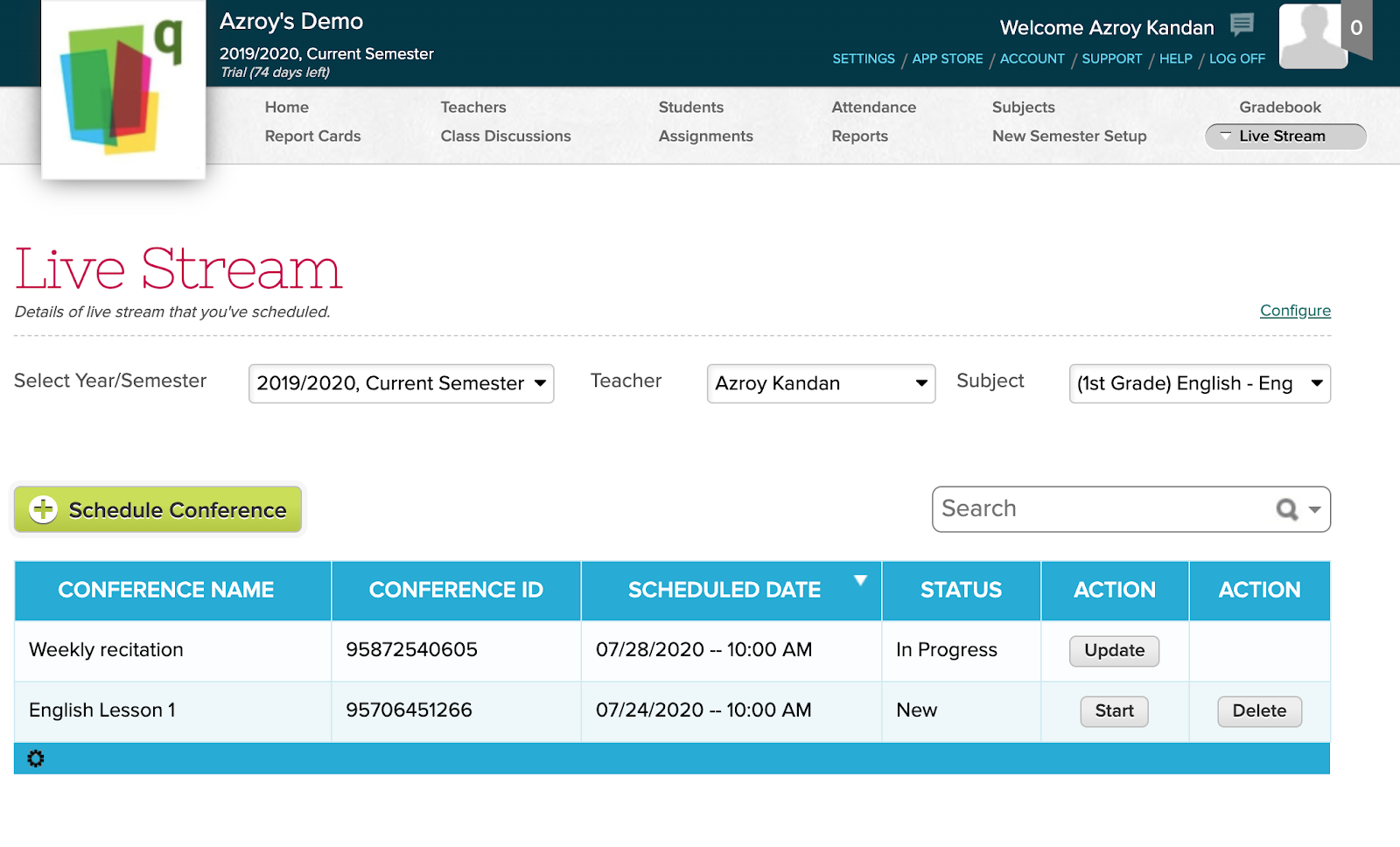
One of these capabilities is for teachers to provide lessons online via Live Streaming (or Online Conference). We’ll be using Zoom to accomplish this. 

live streaming with quickschools

Very soon, schools will be able to link their QuickSchools account to a Zoom account, which will then allow teachers to seamlessly schedule online meetings for their classes:

Read More »

Only pay for Active Students

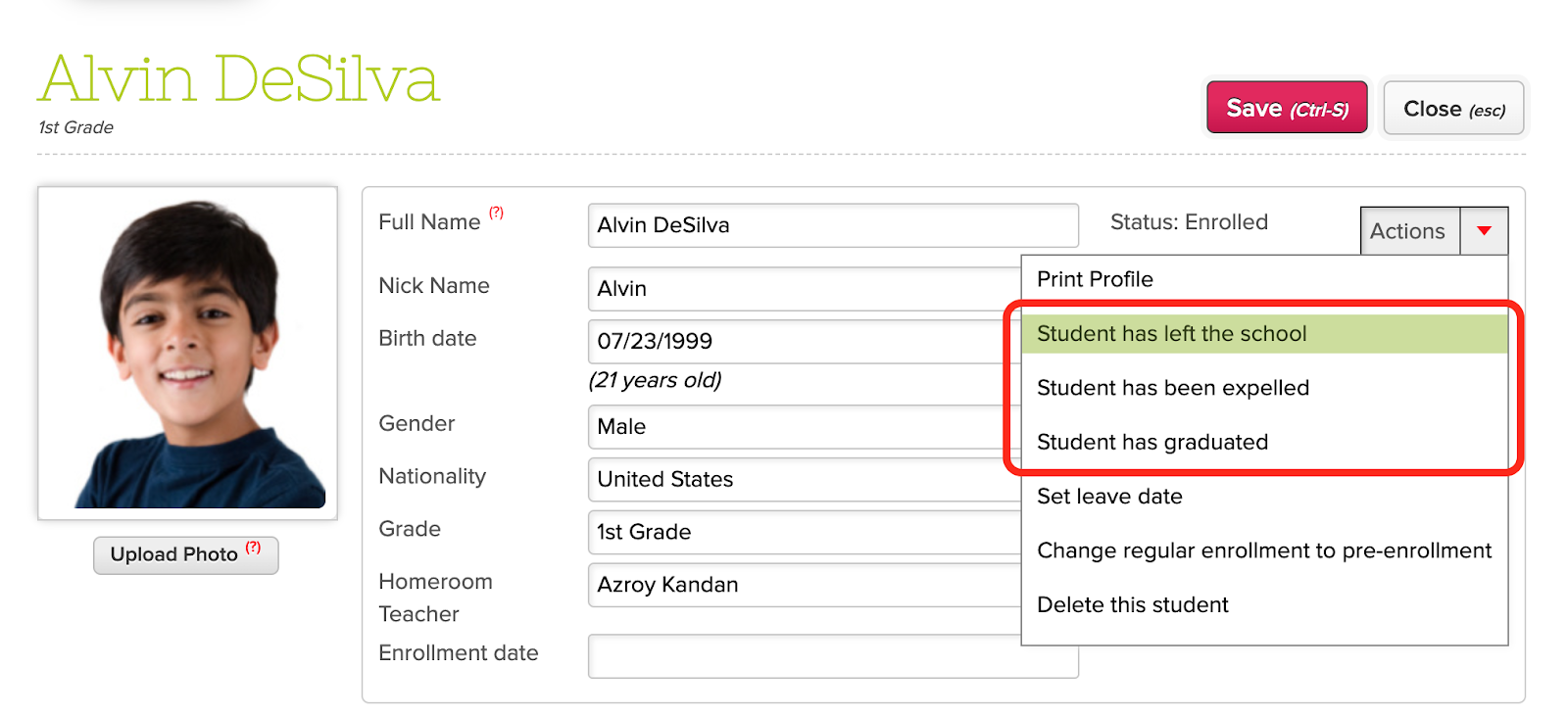
Since early on, QuickSchools has been supporting schools grow, by providing a flexible monthly subscription plan that’s simply based on the number of active student records in the account. Especially in these difficult times, if enrollment goes down, your subscription cost will also go down. All you have to do is make sure that you deactivate your students when they leave / graduate:

Deactivating Student Records

To deactivate a student record, all you have to do is open the student record from the Students listing, and select either “Student has left the school”, “Student has been expelled” or “Student has graduated” from the “Actions” dropdown on the top right corner:

Once a student is inactive, the student record no longer appears on the main Students listing.

Accessing Inactive Records

To view inactive student records, use the triangle on the search box to activate the Advanced Search options, and select one of the available options to include inactive students (like “ Show deleted students”, “Show students who have left” or “Show expelled students”): 

Read More »