Attendance Taking by Parents – New App

The Quickschools App Store now features a new app called “Attendance Taking by Parents“. The idea behind the app is pretty simple – it allows parents to take attendance from the Parent Portal for their children. For schools that are transitioning over to a virtual or hybrid system (partially on campus), this new app may come in handy. Here’s how it works:

Attendance Taking by Parents app

After installing and configuring the app, parents will see a “Take Attendance” button below the student’s basic details:

Attendance Taking - Student Updates
Read More »

New Assignments App (Beta)

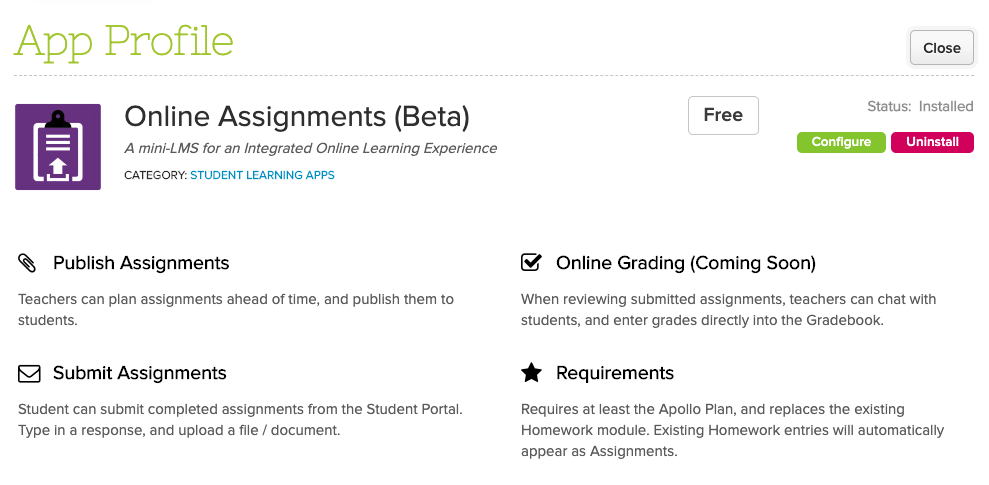
In our efforts to provide a more streamlined Online Learning experience, our Assignments App, which is still in Private Beta, is coming along nicely. If you’d like to try out this feature, please contact QuickSchools support. 

So here’s what you can do so far:

  • Teachers can create and view assignments for their subjects
  • Students can upload/submit assignments from the Student Portal
  • System tracks multiple submissions from the same student for the same assignment
  • Teachers can easily review submissions from each student

Moving forward, you can expect the following features:

  • Schedule Assignments to be Published
  • Enter Grades directly from the Submissions screen
  • Easily navigate between Submissions for a particular Assignment
  • Chat Feature for Submissions
  • Annotate Submissions
  • Calendar view for Assignments

If you have any further questions or comments, please don’t hesitate to reach out to us via email or chat. It’s your feedback that makes these improvements worthwhile!

Zoom Integration App (Beta)

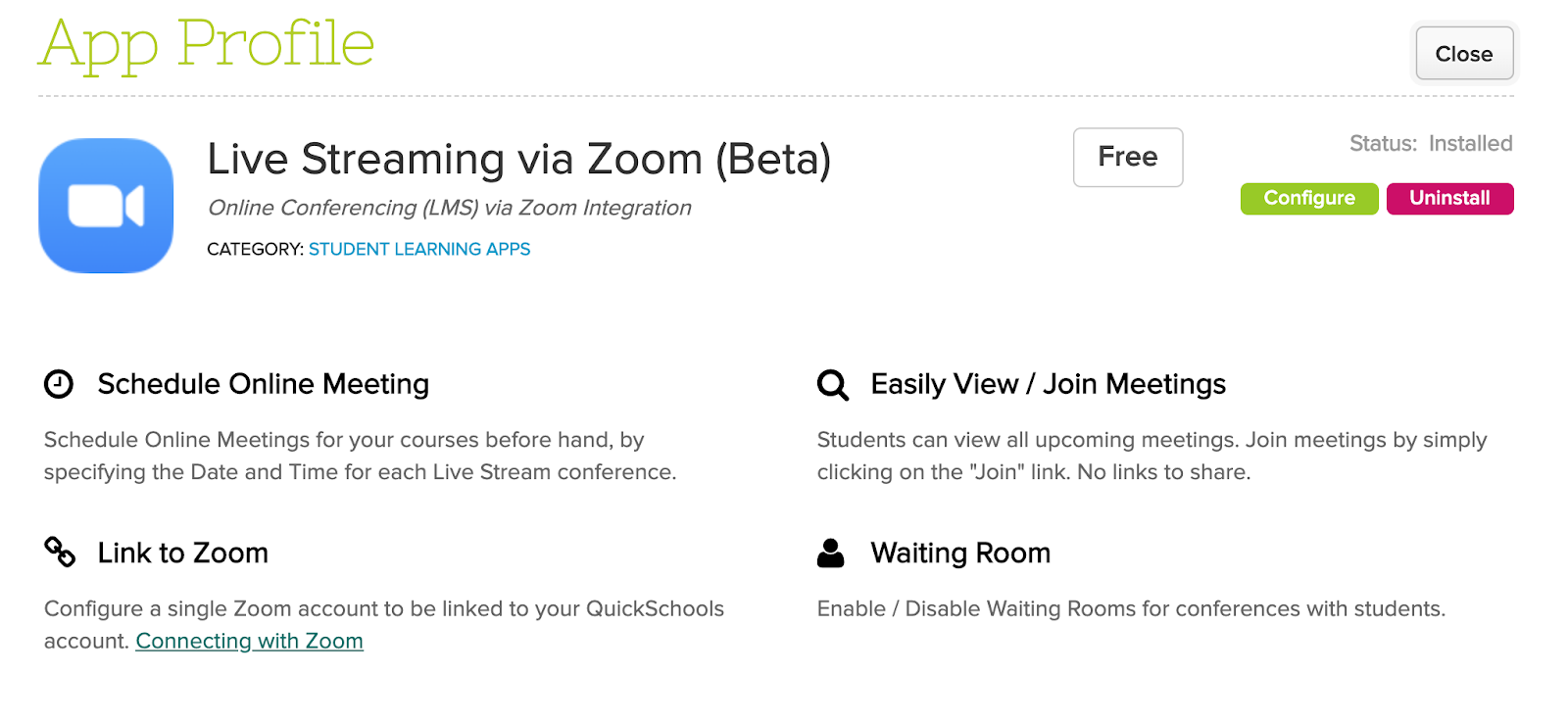
We announced recently that QuickSchools is working on a Live Stream feature via Zoom Integration. We are happy to announce that a first version of this app has been deployed in last weeks release:

Live Stream App for Zoom Integration

This app is still in Private Beta, which means schools will need to request for this app in order to use it. We hope that early adopters of this app will share feedback with us, so that we can continue to improve the app moving forward.

To connect your QuickSchools account with Zoom, you’ll need to create API credentials from Zoom. More details here:

https://support.quickschools.com/hc/en-us/articles/360046992452

That’s it for now. We are planning more improvements in the coming months, to help schools with the upcoming school year. Please stay tuned by following us on Facebook or Twitter, in order to get the latest updates.

Apps for LMS Integration

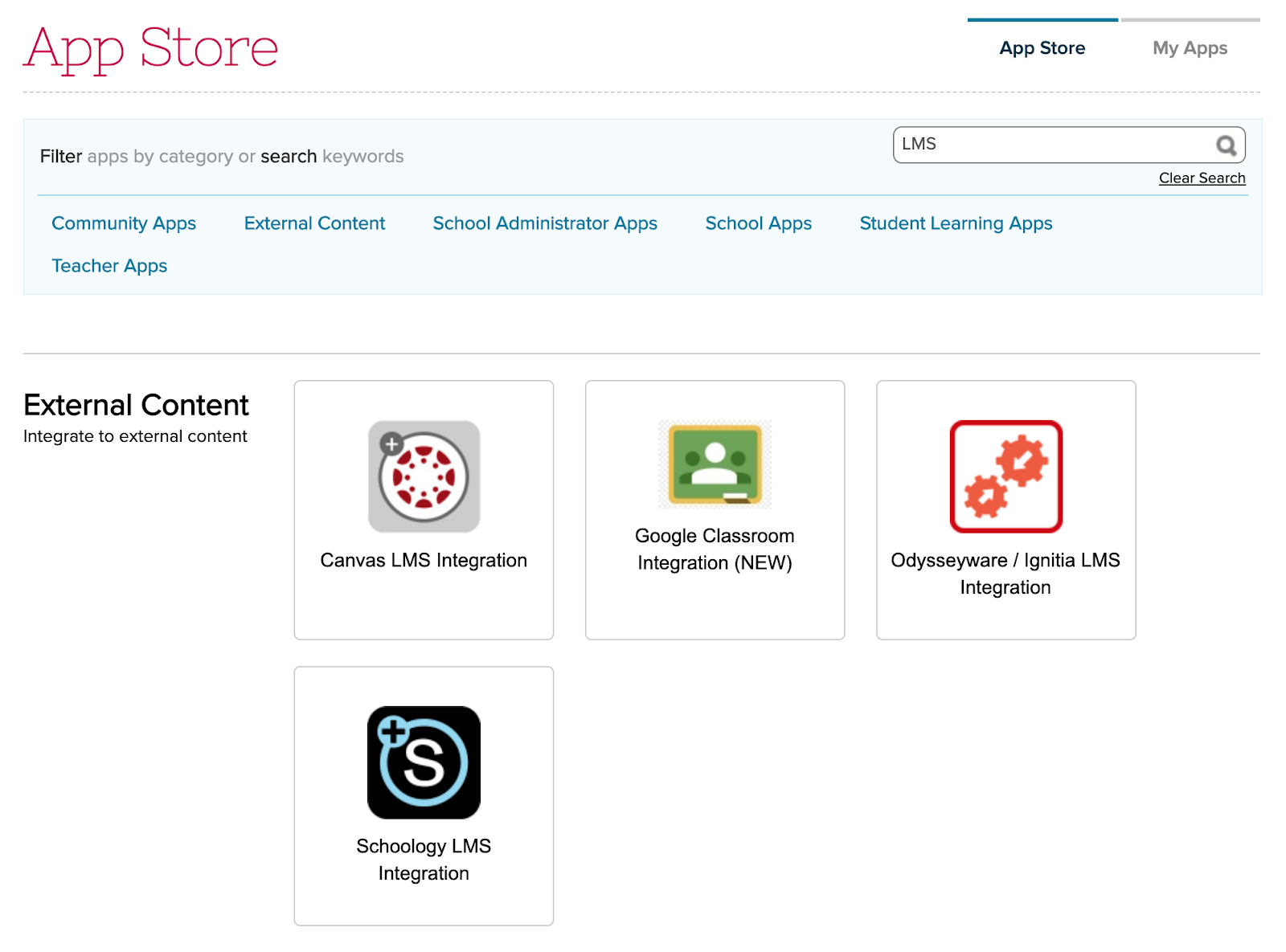
QuickSchools has several apps that integrate to an external LMS. Although there are slight differences in the functionality for each app, the overall approach and style is very similar.

apps for the LSM integration

Gradebook Sync

The primary goal of the Integration App is to pull the latest Gradebook data from the external LMS into QuickSchools. This is essentially an import, and no changes are made to the external LMS during this process. However, the synchronization process also includes changes in enrollment. So if you add a student to a course and add grades for that student in the external LMS, or if you remove a student from a course, the integration will automatically enroll or unenroll the student accordingly, in order to match the local QuickSchools Gradebook with the external LMS.

Read More »

Online Learning V1

QuickSchools has traditionally been a Student Information System (SIS), not a Learning Management System (LMS). However, there has always been some overlap (i.e. Gradebook). But given the changing times, and a strong need for all schools to have an online learning capability, we’ve decided to beef up our in-house support for Online Learning. We may not be as full-featured as many of the big players out there, like Canvas, Schoology, Google Classroom, Odysseyware and Ignitia (all of which we do integrate with), but there’s a lot to be said about having a simple core set of features that works seamlessly with an SIS. 

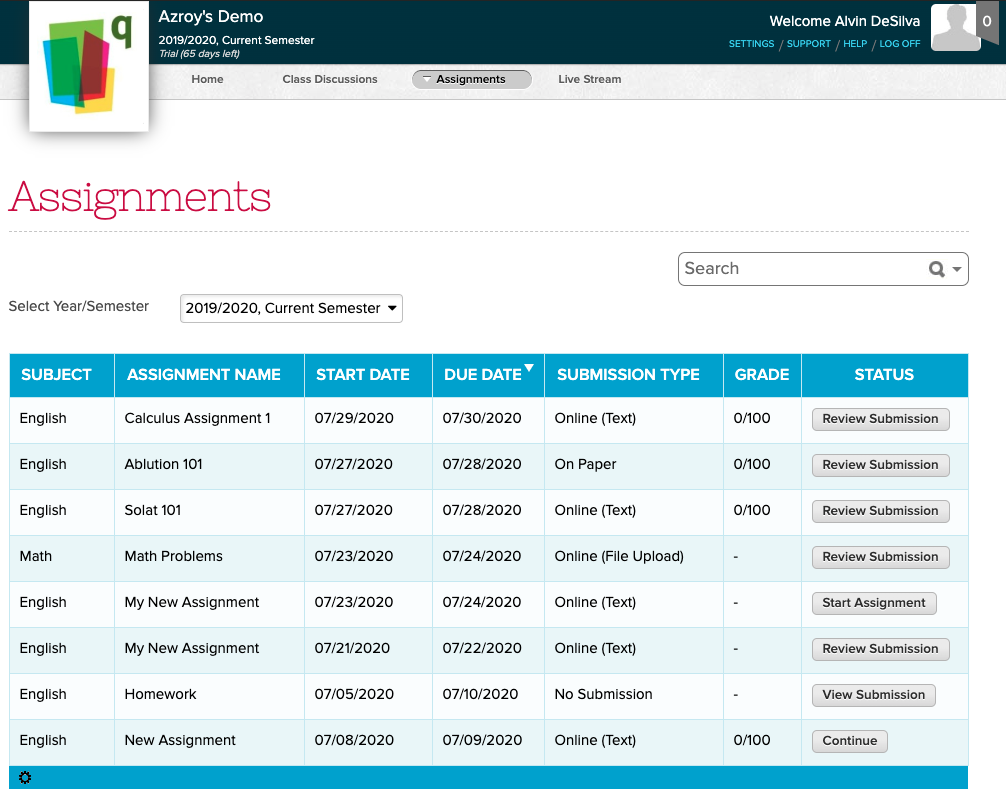
New Assignments module as part of Online Learning capability

So here we’d like to outline some of these features, that make up the Online Learning experience within QuickSchools:

Read More »

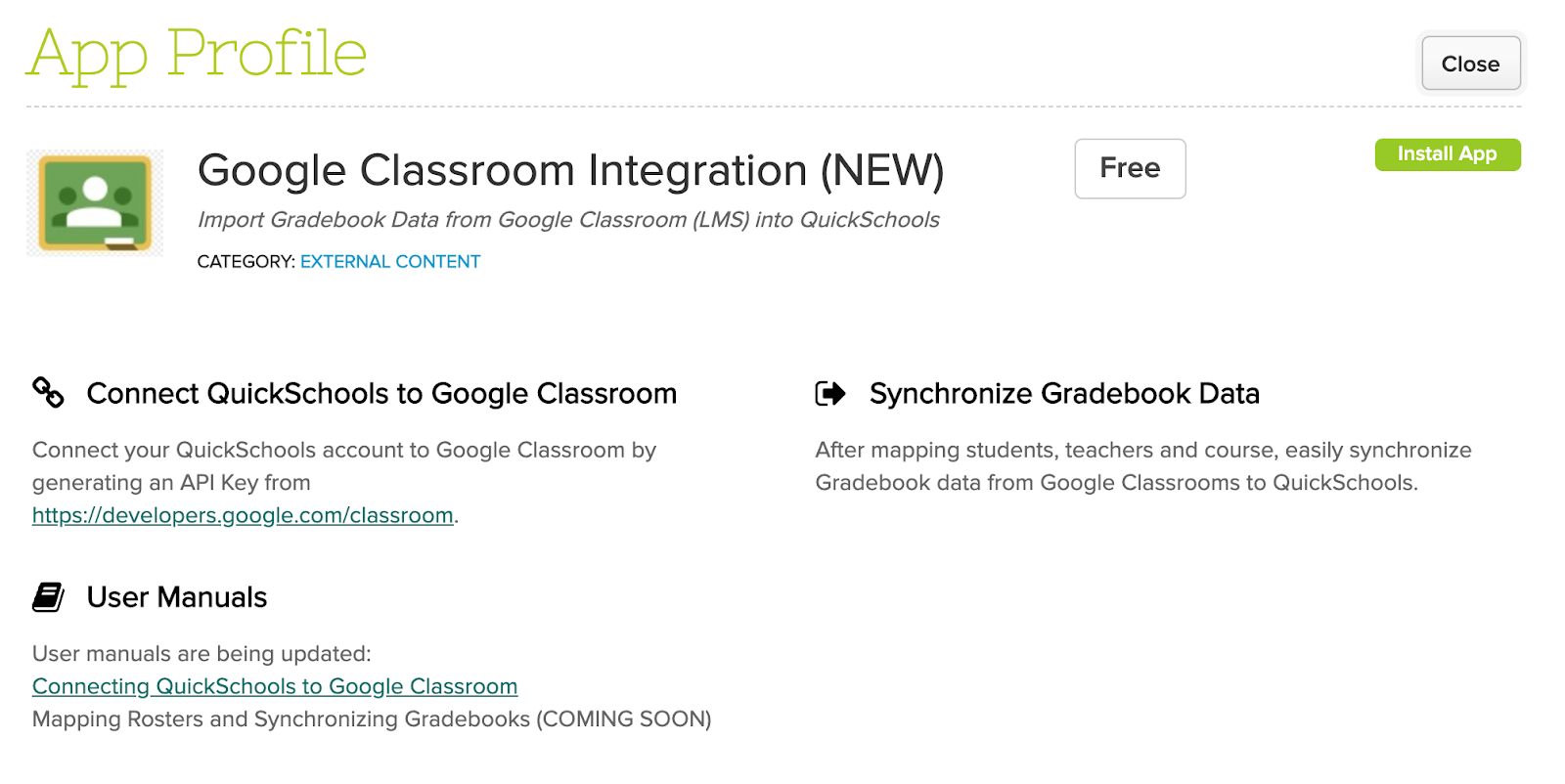
Google Classroom Integration is LIVE

QuickSchools is delighted to announce this exciting new! The Google Classroom (LMS) Integration app has been moved out of Private Beta, and is now readily available on our App Store:

Google Classroom (LMS) Integration with QuickSchools

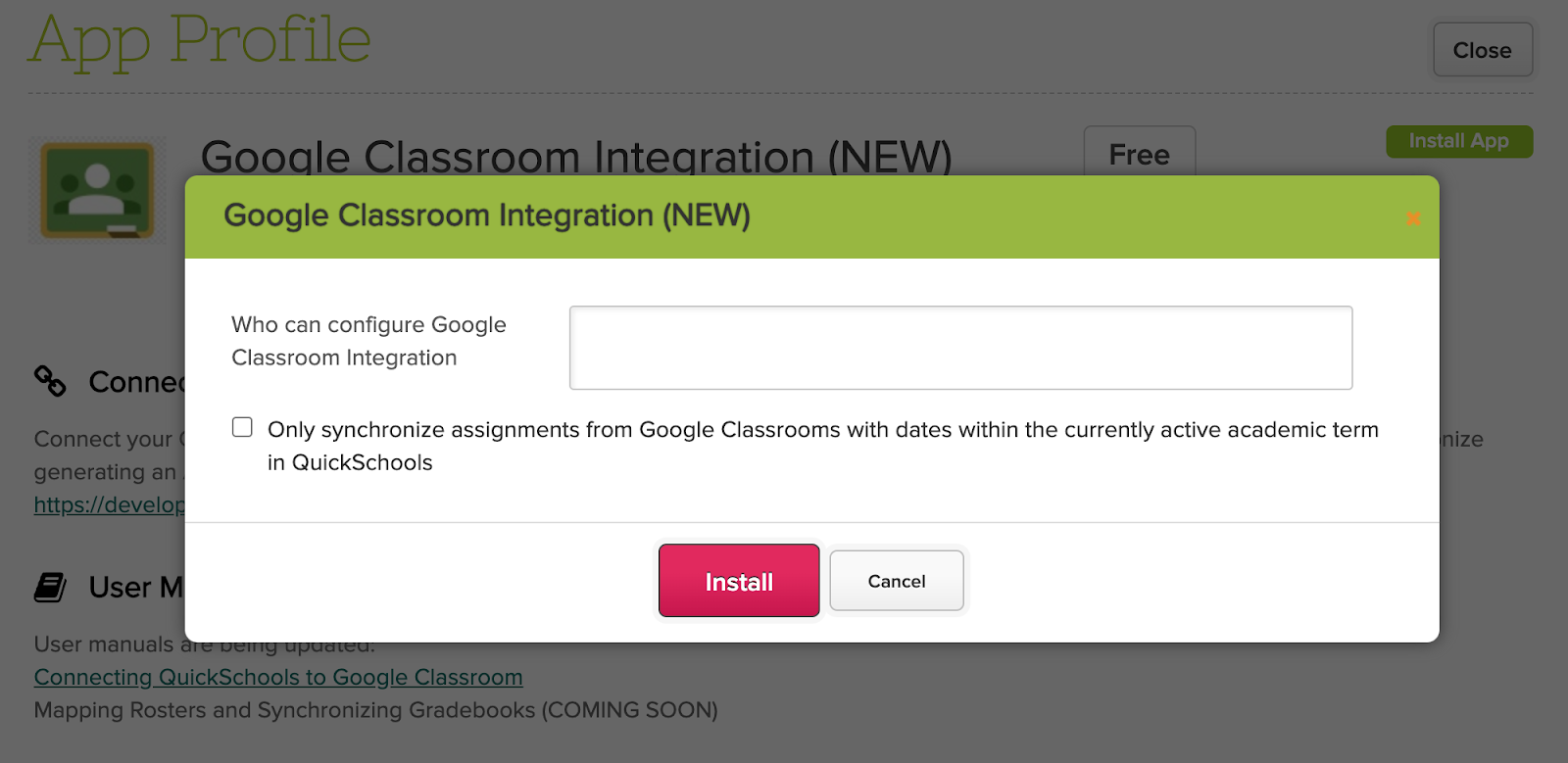
We’ve made several refinements since this app was introduced late last year. One key feature is the new option to “Only synchronize assignments from Google Classrooms with dates within the currently active academic term in QuickSchools”:

Configure the Google Classroom (LMS) Integration

Here are some key features to note about Google Classroom, and how it relates to QuickSchools:

Read More »

Online Form Reference Numbers Report

QuickSchools has just released a new Summary Report for the Online Forms App — Online Form Reference Numbers Report. This report is available for all users with access to the Online Forms Reports, and is ideal for schools that use Public Online Forms.

If you do not have access to the Online Forms Reports, you can enable this by going to App Store > My Apps tab, and click on “Configure” in the Online Forms app. In the configuration window, enter the user or role in the “Who can view Summary Reports” option and Save.

Online Forms Configure

Online Forms Configuration

Once this has been enabled, go to Reports, and search for “Online Form Reference Numbers”.

Online Forms Report

Here is what the report would look like:

Online Forms Reference Number Report

This report can be filtered by Online Form Packet, Student Name, and Submission. If you have suggestions for more reports, please feel free to reach out to our support team.