Admissions Flow

After making several improvements to the Admissions module in QuickSchools, we thought we’d summarize some of the features in a quick Introduction video: QuickSchools Admissions Flow

The Admissions Flow covers the general process from Inquiry to Application and then to Enrolled Students, highlighting some key features:

Inquiries

Inquiries are used to track leads and anybody interested in applying to your school. Features include:

Read More »
Sending Homework to Teachers

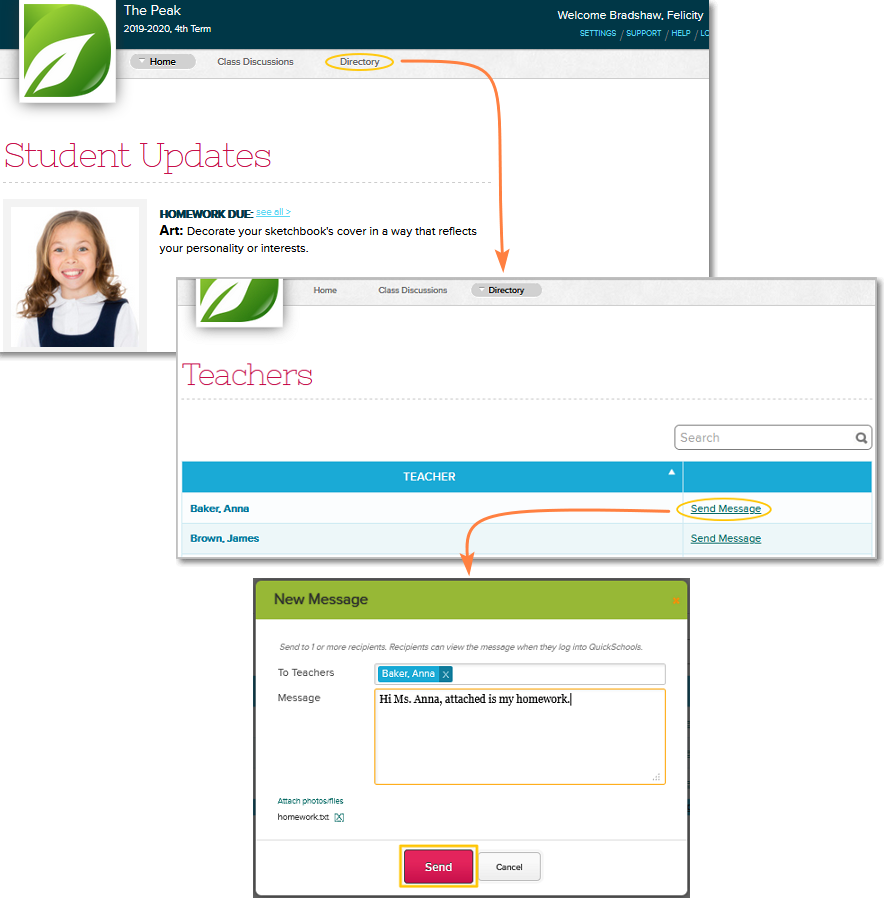
As more and more schools go virtual in today’s changing climate, students need a way to submit homework assignments to their teachers online. Quickschools is still building a dedicated homework submission feature. But for the interim, students can use the Private Messaging feature to submit their work. Here are the steps:

  1. Log in to Quickschools and go to Directory tab
  2. Search for the teacher then click the “Send Message” link across the teacher’s name
  3. Write a message, attach the homework and click Send
homework for online schools


To view all private messages, just click the mailbox icon next to your name on top of the page:

Read More »

Accessing Homework from Student / Parent Portal

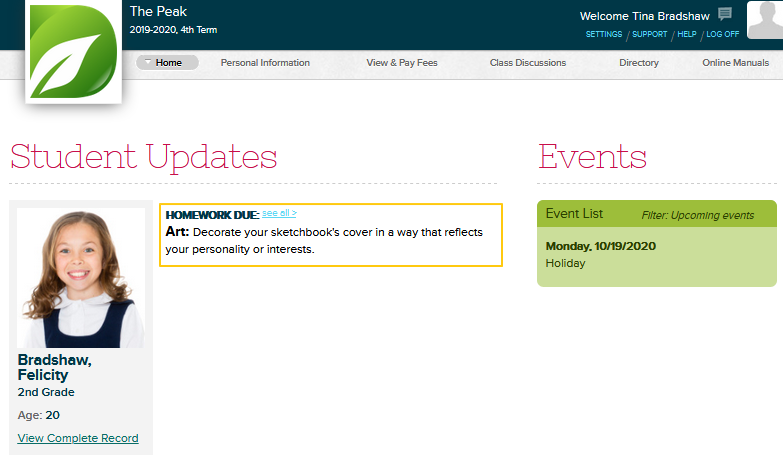
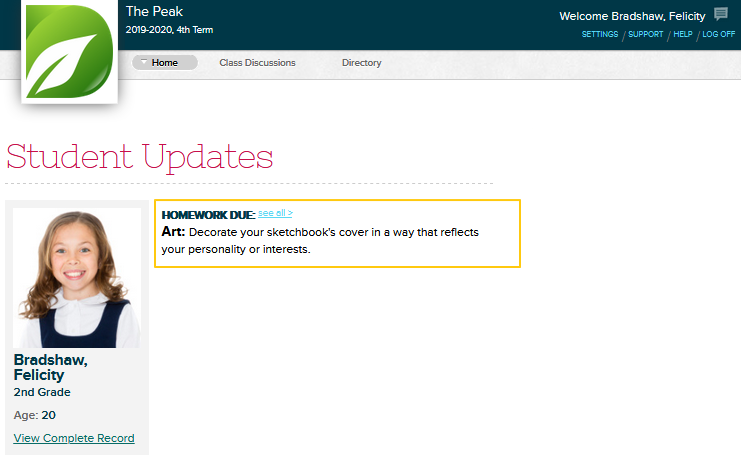
After logging into the Student Portal, students can immediately see recently posted homework assignments from the main Student Updates board that appears on the QuickSchools Home page.

Parents can see a similar page on the Parent Portal:

Note that posted homeworks will only appear under Student Updates for two days after it was posted, and two days before its due date.

If the homework no longer appears under Student Updates, this is how you can access it:

Read More »

Attendance Calendar for Holidays

In case you missed it with the release of Sprint E20, there is a new Calendar feature in Quickschools that is readily available to all schools.

As an administrator, you can now define the holiday calendar for each academic term that you set up. In addition, the feature can also restrict data entry for attendance. This will prevent teachers from inadvertently adding attendance data on days students are not expected to attend.

Here’s a quick guide on viewing and configuring the calendar:

  1. Under the “New Semester Setup” > “View All Semesters” menu, you should see a new “Calendar” link for each term:
New “Calendar” link when configuring an Academic Term
  1. Clicking on it will bring up a calendar for the specified start/end dates defined for the term:
Set up holidays and other non-school days on the Calendar
Read More »

Gradebook Tools for Teachers

Choosing the right digital gradebook for teachers is essential for effective classroom management. Gradebook software for classroom management streamlines grading, improves accuracy, and enhances communication with students and parents. In this post, we’ll explore key features to look for when you are a QuickSchools user.

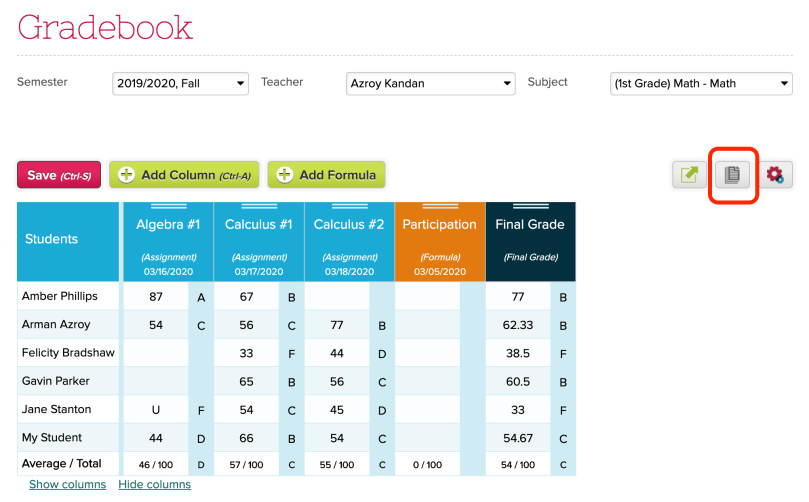
If you’re using the QuickSchools Gradebook, here are some tools available to you as a teacher. Just click on the paper icon on the top right corner of the screen:

quickschools gradebook interface
Tools for Teachers on the QuickSchools Gradebook

This will bring up the following screen:

Available Functions for the QuickSchools Gradebook

Print Gradebook

This feature is useful if you want to print and post grades outside the classroom. When using this function, there are several option to configure the layout as well as what information is displayed:

Read More »

New Release – Mar 23, 2020

Thanks for bearing with us, with the 2 planned outages this month. We’ve been working on improving server performance, as more and more schools start relying on QuickSchools for Online Learning. Here are the latest improvements:

Major Improvements

  • Fix File Upload Issues
  • Improve Server Availability
  • New Score Calculation option for SBG (See Below)
  • Expanded API support for iOS and Android Apps

General Bug Fixes / Improvements

  • QuickBooks Integration support for Canada
  • Notification to Admin when Parent updates their Contact Info
  • Improve warning message when running Summary Reports
  • Enable Print-In-Order for All Schools
  • Configure number of report cards that can be printed in order
  • Fix SBG Report Card integration when Standard Groups are deleted
  • Fix Auto-Allocation for multiple students in Family Billing
  • Fix module dependency when installing Master Scheduler
  • Fix Course Request support for Student Portal on Edge Browser
  • Fix Report Creator when reporting on students with deleted parents
  • Fix Report Creator when reporting on applications linked to deleted semesters
  • Fix Parent Relationship displayed in student record
  • Fix student re-enrollment when Leave Date is missing
  • Fix error when importing inactive students
  • Fix Student Enrollment error on Shared Online Form Packets
  • Fix Advanced Discipline PDF support for deprecated/removed Code Sets

New Score Calculation option in SBG

We’ve added a new Score Calculation option (i.e. Grading Scale for SBG) to the Standards-Based Gradebook (SBG) that respects that total number of points assigned to each assessment, similar to how the numeric Gradebook calculates formulas and the final grade based on total points in each assignment. The new Score Calculation is called “Weighted average by category and assessment“:

New "Weighted average by category and assessment" Score Calculation 
for Standards-Based Gradebook
New “Weighted average by category and assessment” Score Calculation
for Standards-Based Gradebook

As with other Score Calculations, the settings can be set school-wide under “Grading Setup” > “Standards-Based Setup”, or can be overridden in each subject:

Read More »

Planned Outage – Mar 21, 2020

We have another planned outage this Saturday, on March 21, 2020. We will be updating our hardware infrastructure to improve general performance and availability. This update requires that some of our servers be taken offline.

The outage will begin at midnight US Eastern time (or 9 pm US Pacific Time on Friday March 20), and will last up to 9 hours. If we’re able to complete the update earlier, the QuickSchools service will be brought back online immediately.

If you have any questions or concerns, please contact our support staff via email or chat.

Have a safe March Break!

Planned Outage – Mar 14, 2020

We have a planned outage this Saturday, on March 14, 2020. We will be updating our hardware infrastructure to improve general performance and availability. This update requires that some of our servers be taken offline.

The outage will begin at midnight US Eastern time (or 9 pm US Pacific Time on Friday March 13), and will last up to 9 hours. If we’re able to complete the update earlier, the QuickSchools service will be brought back online immediately.

If you have any questions or concerns, please contact our support staff via email or chat.

Have a safe March Break!