HTML5 is Baking in the Oven!

The shift from Flash to HTML5 is actually a huge undertaking. We’re basically rewriting the entire QuickSchools front-end interface. Not only that, we’re also releasing some new features like support for Spanish. If you’re interested in trying out an early beta edition of the new upgrade, let us know. Your feedback will help us improve the software before we release it to everyone else. We’re particularly interested in the following types of people:

  • Users who’d like to access QuickSchools via the iPhone / iPad (and other mobile devices).
  • Users who know Spanish, and would like to try out the Spanish version.
  • Users outside the US who have a less-than-stellar internet connection speed.
  • Users who are curious about the HTML5 upgrade in general.

We’ll keep you updated of the upcoming release. When the HTML5 upgrade is released, users will still have the option of using the older Flash version as-is. But keep in mind that we’ll eventually phase out the Flash version in favour of the more feature-rich HTML5.
 

Request a QuickSchools Online Demo

So you’ve checked out the QuickSchools website, and maybe even read a few articles on our blog… Maybe you’ve signed up for a free trial, but you still can’t figure out how exactly to configure your QuickSchools account… If you have questions, and would rather speak with someone over the phone, by all means, give us a call. We can also arrange an online demo, to go over your specific requirements.

To request a demo, you can simply do so over Live Chat, or send us an email at support@quickschools.com. We’ll suggest a few times for a meeting. We’ll then send you a link to GoToMeeting, which is what we use for screen sharing. And we’ll then run through the application on your computer and over the phone. It’s as simple as that.

So what are you waiting for? Sign up for a trial today.

UPDATE June 9, 2020:

You can now request an online demo / webinar by going to this link:

https://blog.quickschools.com/2020/06/09/interested-in-an-online-demo/

Come see us at the 2012 NAIS Annual Conference

QuickSchools will have a booth at the 2012 NAIS Annual Conference at the Washington State Convention Center in Seattle this Feb 29 – Mar 2. Come check us out for a free demo, get some free stuff, and speak with some of our staff.

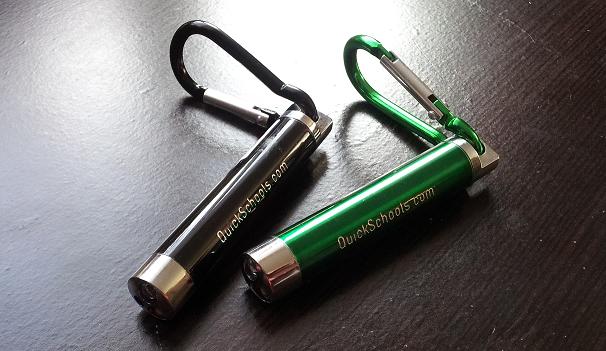
Mention this article at the conference, and get a QuickSchools flash light / key chain (pictured above) for free. Hope to see you guys there!

As always, please send us your suggestions for conferences you attend. We’d love to meet you and other schools like yourself.

QuickSchools is moving to HTML5

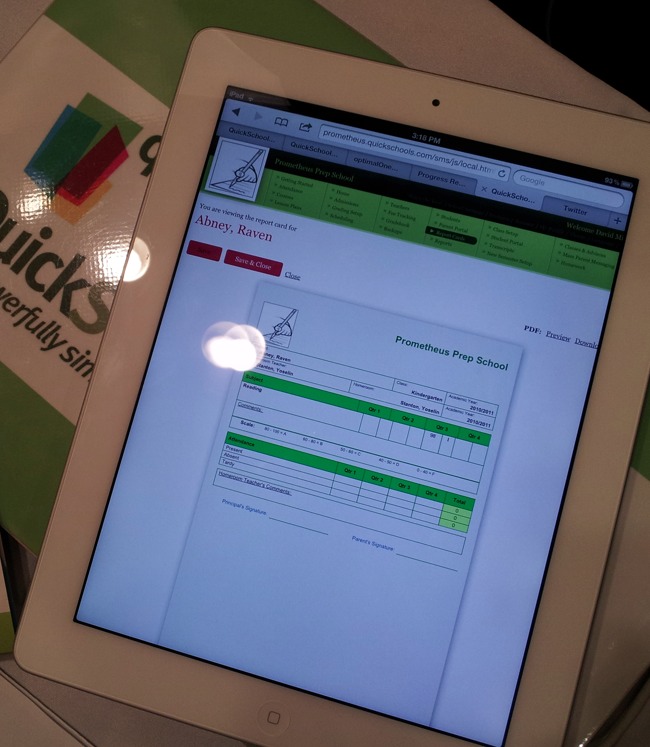
2011 is coming to a close. And what a productive 2011 it has been. One of our major improvements for this past year is the new Report Card module, where schools can select and configure/customize report cards all on their own. You can literally produce a report card within minutes of signing up for a free trial. You can read more about it here.

One major improvement slated for 2012 is HTML5. Yup, you heard it right! QuickSchools is moving from a Flash-based front-end to HTML5. Soon you will be able to run QuickSchools from an iPhone or iPad. With new advances in web technology, we feel it’s time to make this upgrade.

This is a tremendous change; one which we hope will benefit all of our customers. There are many other benefits to using HTML5, and we’ll announce more about it as we get closer to the release date.

In the meantime, on behalf of everyone here at QuickSchools, I’d like to wish everyone a Happy New Year. Thank you for supporting us. And we look forward to an even more productive and prosperous 2012.

Control vs. Flexibility

At QuickSchools, we often debate on the best ways to present a new module, feature or enhancement. There is indeed a fine balance between control and flexibility. Too much control on a particular module and it can be regarded as too rigid, cumbersome, or hard to use. Too much flexibility and it might not fit what you’re looking for.

Here’s an example:

We recently posted a rather lengthy article on how to set up a QuickSchools account if you don’t have academic terms. Non-overlapping academic terms make it easy for schools to control which information (grades, subjects, enrolment, schedules, etc) is active, and which is archived. But this method of doing things impedes on the flexibility for QuickSchools to cater to schools that don’t have academic terms.

So how would we make the system both flexible enough to cater to schools that do not have academic terms, while still allowing the control for the term-based schools to easily move between academic terms?

This is one of the many challenges we face as a Software-as-a-Service (SaaS) vendor, where all customers work off the same code base. Rest assured, our engineers are continually looking for improvements that will work well for everyone.

We welcome suggestions to improve our product and services. If you’re not sure about something, come chat with us, or send us an email at support@quickschools.com.