New Release – Jan 5, 2023

Happy New Year! We had a release last Thursday, with improvements in the Orchestra Master Scheduler and Lunch Ordering. Our new Payment Plan module is officially in Private Beta:

New Payment Plan Module currently in Private Beta

Here is a list of the latest QuickSchools improvements:

Master Scheduler Improvements

  • Step 4 Search by Teacher Name
  • Improve Step 4 Course List Preferences with reloading the screen
  • Improve top menu for Step 4 and 5
  • Teacher Schedule Board support for Weekly Schedule
  • Student Schedule support for Weekly Schedule from Courses & Sections
  • Increase scroll bar height

Lunch Ordering App

  • Admin can adjust customer credits
  • Update location of “Order History” link
  • Bug fix when adding Lunch Orders for days that were previously deleted
  • Bug fix double orders in Shopping Cart

General Bug Fixes

  • Disallow deletion of Admin Columns that are using in Formulas
  • Fix Missing Grade in Transcripts Configuration
  • Improve handling of special characters in file name when exporting data
  • Improve how Class Discussions are displayed to Student when student is not enrolled into any classes

Beta Improvements / Fixes

  • New Payment Plan
  • Add Online Payment Support for GBP
  • Disallow parents from editing uploaded Student Documents
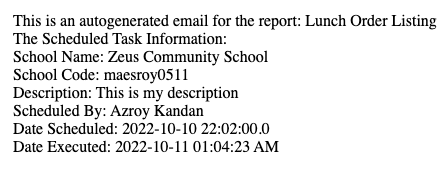
  • Improve information on notification emails from scheduled tasks
  • Bug fix error when running specific imports via SFTP 

New Release – December 12, 2022

Today’s release contains improvements in several areas including the Orchestra Master Scheduler and Lunch Ordering.

Here is a list of the latest QuickSchools improvements:

Master Scheduler Improvements

  • Display Semester dropdown in reverse chronological order when copying settings from another Enrollment Period.
  • Improve Next Course Algorithm in Step 5 to ignore constraints
  • Bulk Print Student Schedule after Step 5
  • Bulk Email Teacher Schedule after Step 5
  • Improve Bulk Print Student Schedule after Step 6
  • Option to hide main bell schedule in Schedule PDF after Step 6

Lunch Ordering App

  • Support for Admin to add new Lunch Orders (See above)
  • Streamline Lunch Order Amounts in Parent Portal when a Meal Type is deleted

General Bug Fixes

  • Improve Support for Fee Tracking with Online Payment for Online Forms
  • Trim Student Name when submitting Online Form PDF (via SVG)
  • Include decimals when synchronizing gradebook with Schoology
  • Add Admissions Inquiry Creation Date to Report Creator

Beta Improvements / Fixes

  • API Improvements for One Roster
  • Freeze Student Column when scrolling right on “Courses & Sections” > “By Student”
  • SFTP Importer (Beta) support to order of tasks
  • Bug Fix Numbering of Online Tests

New Release – November 22, 2022

Today’s release lays the groundwork for our new Payment Plan module. We expect an early beta version to be released in the next month. The remaining improvements focus on our Orchestra Master Scheduler, Lunch Ordering app, and our SFTP Importer (Beta), plus other general improvements and bug fixes.

New “Conflicts” by Department in Step 5 of the Orchestra Master Scheduler

Here is a list of the latest QuickSchools improvements:

Master Scheduler Improvements

  • Set default Next Course for Year-Long Courses in Course Catalog
  • Preview / Download student Schedule PDF from Step 5
  • Show Conflicts in “% Complete” Breakdown by Department in Step 5
  • Bug Fix when Link / Remove Section with custom Day labels in Step 4

Lunch Ordering App

  • Customers can view/print paid orders

General Bug Fixes

  • New option to Skip Invoices in QuickBooks Integration App (see below)
  • Show negative amounts properly in “Billing History”
  • Bug fix unenrolling students in Group Schools
  • Bug fix schedules tasks that “Repeat every weekday”
  • Bug fix when submitting grades from Gradebook to Report cards
  • Bug fix when displaying total score in Online Tests 
  • General Security Updates

Beta Improvements / Fixes

  • Payment Plan Framework (Early Alpha)
  • SFTP Importer (Beta) support to deactivate old students
  • SFTP Importer (Beta) support to delete old course requests
  • API Improvements to support Engage CRM
  • Bug Fix on new Sections tab for Teacher Portal
  • Add support for Notes to Parent Portal

Option to Hide Invoices for QuickBooks Integration

This is a new feature to help hide transactions that may already have been exported to QuickBooks outside of QuickSchools:

Read More »

New Release – October 31, 2022

Today’s release focuses on continued improvements to our Orchestra Master Scheduler and  Lunch Ordering app, plus general improvements and bug fixes to our Student Information System (SIS).

Updated “Lunch Orders” listing for Parents and Teachers

Here is a list of the latest QuickSchools improvements:

Master Scheduler Improvements

  • Search Students in Step 5 by Student Number
  • Option to display Student Number in Step 5
  • Option to show internal Section ID in Step 4 and 5
  • Option to show roster directly  to Teachers via their portal
  • Bug Fix Course Requests when Course is excluded from Enrollment Period

Lunch Ordering App

  • Improve Lunch History screen to support sort, search and additional functions (See Above)
  • History for Bulk Cancel Lunch
  • Ability to Undo Bulk Cancel Lunch
  • Support for Lunch Day Labels
  • Bug Fix Deleted Lunch Orders when all individual meals are removed

General Bug Fixes

  • New “Schedule” tab for Student & Parent Portals for Simplified Schedule (See below)
  • Links in Notes for Simplified Schedule are now clickable (See below)
  • Links in Notes for Generated PDF from Simplified Schedule are also clickable (See below)
  • Update Note for cost of paid Text Messaging
  • Bug Fix Customer Dropdown for QuickBooks Integration App.

Beta Improvements / Fixes

  • Option to force full online payments in students / parents (i.e. remove option to pay any amount)
  • Improve support for Weekly Schedule in “Courses & Sections”
  • Bug fix Gradebook when missing Add Date in “Courses & Sections”
  • Miscellaneous Improvements to the SFTP Importer (Beta)
  • Support Custom Emails for Scheduled Emails
  • Bug fix revoking access to Teachers for Group Schools
  • Remove “View Enrollment History” for Group Schools
  • Expand data dictionary for Summary Reports
  • General Security Updates

Schedule for Student and Parent Portals

If your school is using the Simplified Schedule, both the Student and Parent Portals now have a dedicated “Schedule” tab that quickly shows you the class schedule:

Read More »

Lunch Ordering App (Comparison)

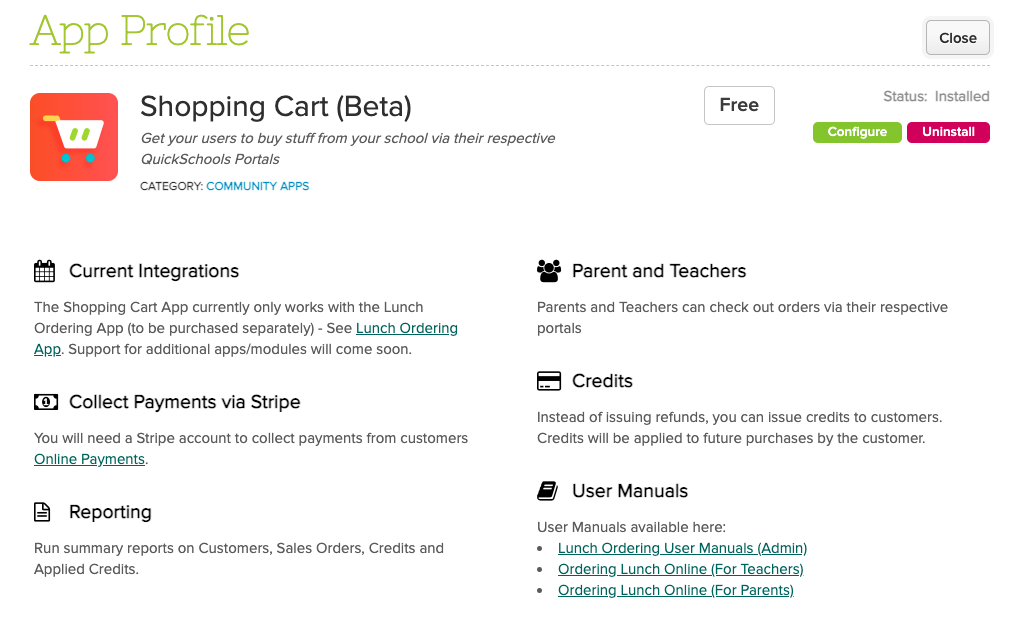
As you may have noticed, we’ve released a new version of the Lunch Ordering App which supports Online Payments. However, the original version in QuickSchools still works for schools that want to collect lunch payments via traditional means. But what are the differences between the new and old versions of the Lunch Ordering App? Here, we discuss the differences, as well as pros and cons.

Original Lunch Ordering AppLunch Ordering with Online Payments
Fulfill then ChargeCharge then Fulfill
Integrates to Fee TrackingIntegrates to Online Payments
Tried and TrueNew (Still in Beta)

Fee Tracking vs. Online Payments

Original Lunch Ordering App with Fee Tracking

The original Lunch Ordering App was designed to allow parents to submit orders freely (before the cut-off date). Parents would only be charged AFTER orders were fulfilled. Once fulfilled, the school would bill the parents via the Fee Tracking module. Parents can then make payments to the school per the usual means. If changes are required after the cut-off date, administrators can edit the orders, up until the orders are fulfilled.

Read More »

New Release – October 11, 2022

We’ve had several mini-releases since our major release on September 12, which focused on improvements to Email Messaging and Alerts. Today’s release however focuses primarily on our Lunch Ordering / Shopping Cart feature plus improvements to our Importer via SFTP.

quickschools sis

Here is a list of the latest QuickSchools improvements:

Master Scheduler Improvements

  • Show Day information on “Course Requests” tab on student record

Lunch Ordering App

  • Admin can Edit Lunch Orders
  • Ability to sort Meal Types
  • When credit is used up, users can pay for Balance Owing via Shopping Cart
  • Hide inactive students from Parent Portal
  • Show shopping cart icon on main menu (See above)
  • General improvements to Shopping Cart experience
  • Bug Fix for orders submitted on weekends

General Bug Fixes

  • Update Integration Schoology

Beta Improvements / Fixes

  • Audit Trail support for Student Tags
  • Miscellaneous improvements to Scheduled Summary Reports (See below)
  • Miscellaneous Improvements to the SFTP Importer (Beta)
  • Support Transfer of Documents when transferring students (Group School)
  • Fix Admissions Embed Code for Group School

Scheduled Summary Reports

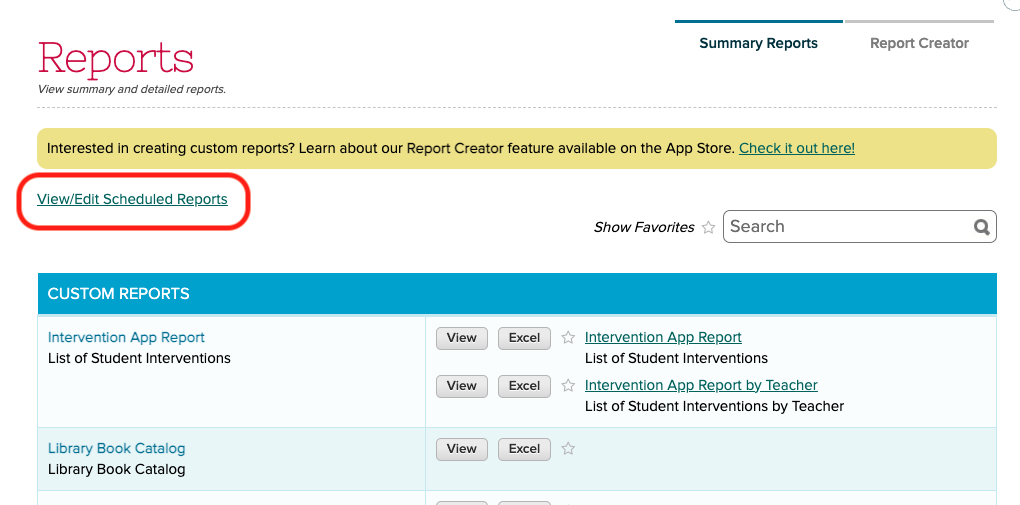
We recently added support to schedule Summary Emails to be emailed to users. This feature has since been refined. This feature is available when clicking on the “View/Edit Scheduled Reports” link under “Reports” > “Summary Reports”:

quickschools report

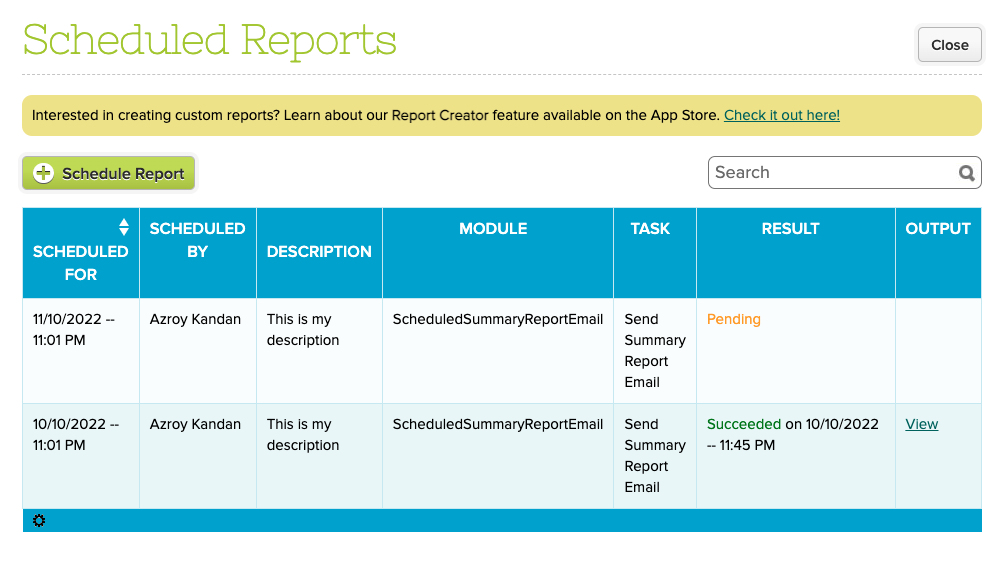
From here, you can view completed as well as pending reports:

scheduled reports


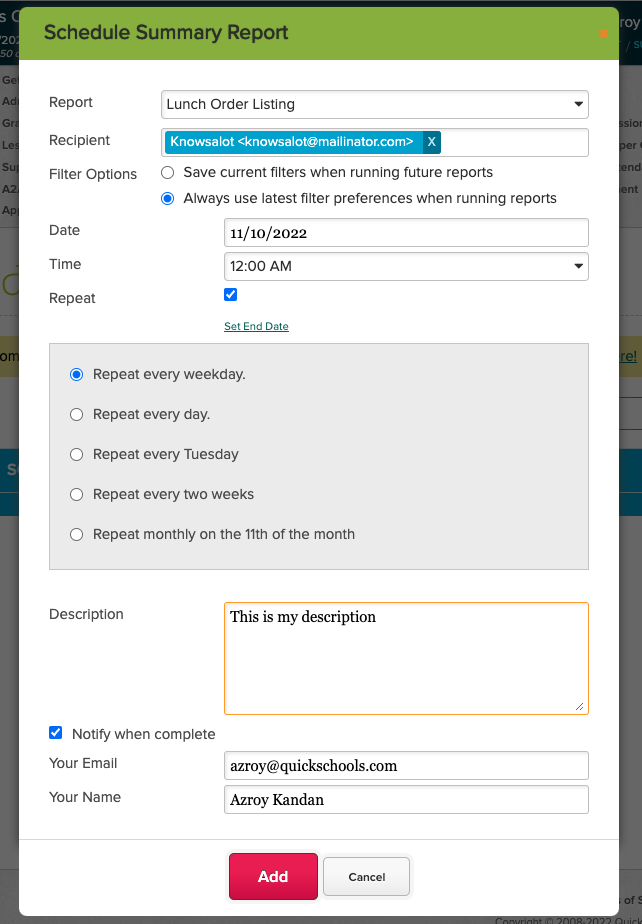
Clicking the “Schedule Report” button allows you to schedule a report to be emailed out:

schedule summary report

You can specify a report as well as multiple recipients. You also specify the frequency of the report. In addition to the attached report, the email to the recipient will also contain information about the report being sent:

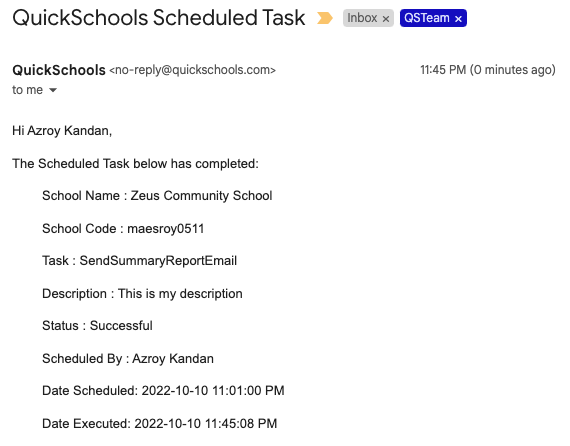
NOTE: With this new release, if the report is empty, an email will NOT be sent to the recipient. However, you can use the “Notify when complete” section, to receive an email notification even when the report is empty. Here’s what the notification email looks like:

quickschools scheduled task

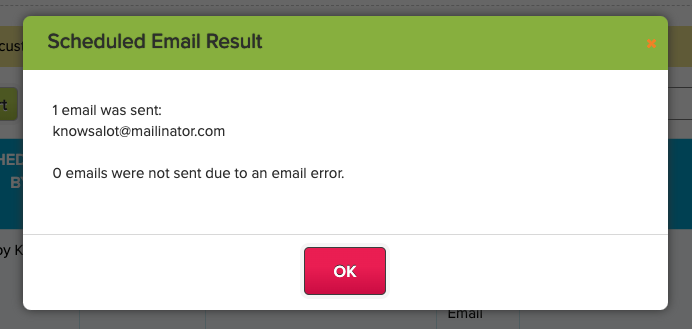
Finally, you can view the status of completed tasks directly on screen, by clicking on the “View” link from the list of scheduled reports:

scheduled email result

Do let us know if you have any questions or suggestions for improvement.

Mini Release – September 19, 2022

Today’s QuickSchools mini-release contains a new feature for the Orchestra Master Scheduler, plus a minor improvements to the recently launched Lunch Ordering App. 

quickschools reports

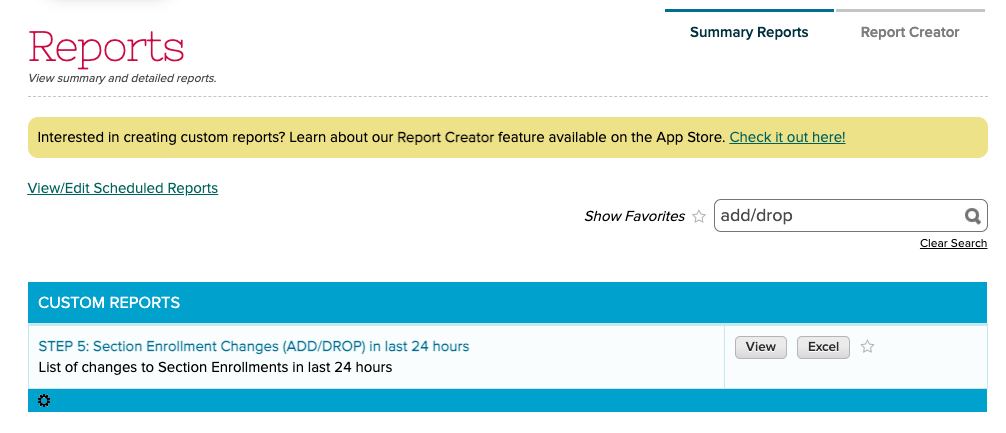
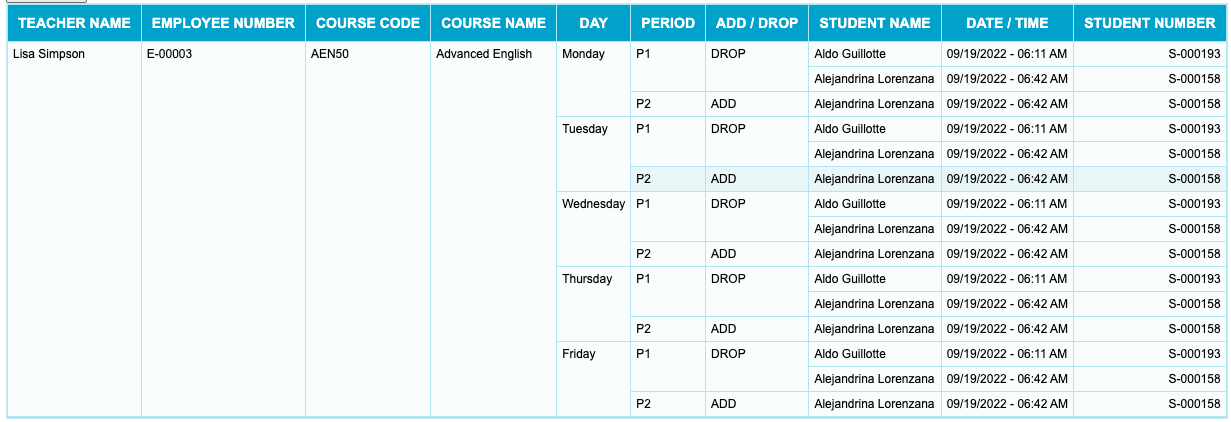
The Orchestra Master Scheduler is now able to track changes to Section Assignments in Step 5. These changes can be viewed via the new “STEP 5: Section Enrollment Changes (ADD/DROP) in last 24 hours” Summary Report. Here’s an example of what the report looks like:

configure reports

When scheduling Summary Reports, there is now an option to either (1) save the current filters in your report, or (2) always use the most recently used filters for a report:

Read More »