
This QuickSchools release focuses on improvements to the Online Forms App as well as the Library App, along with general improvements to our Student Information System (SIS) and new UI for the Orchestra Master Scheduler.
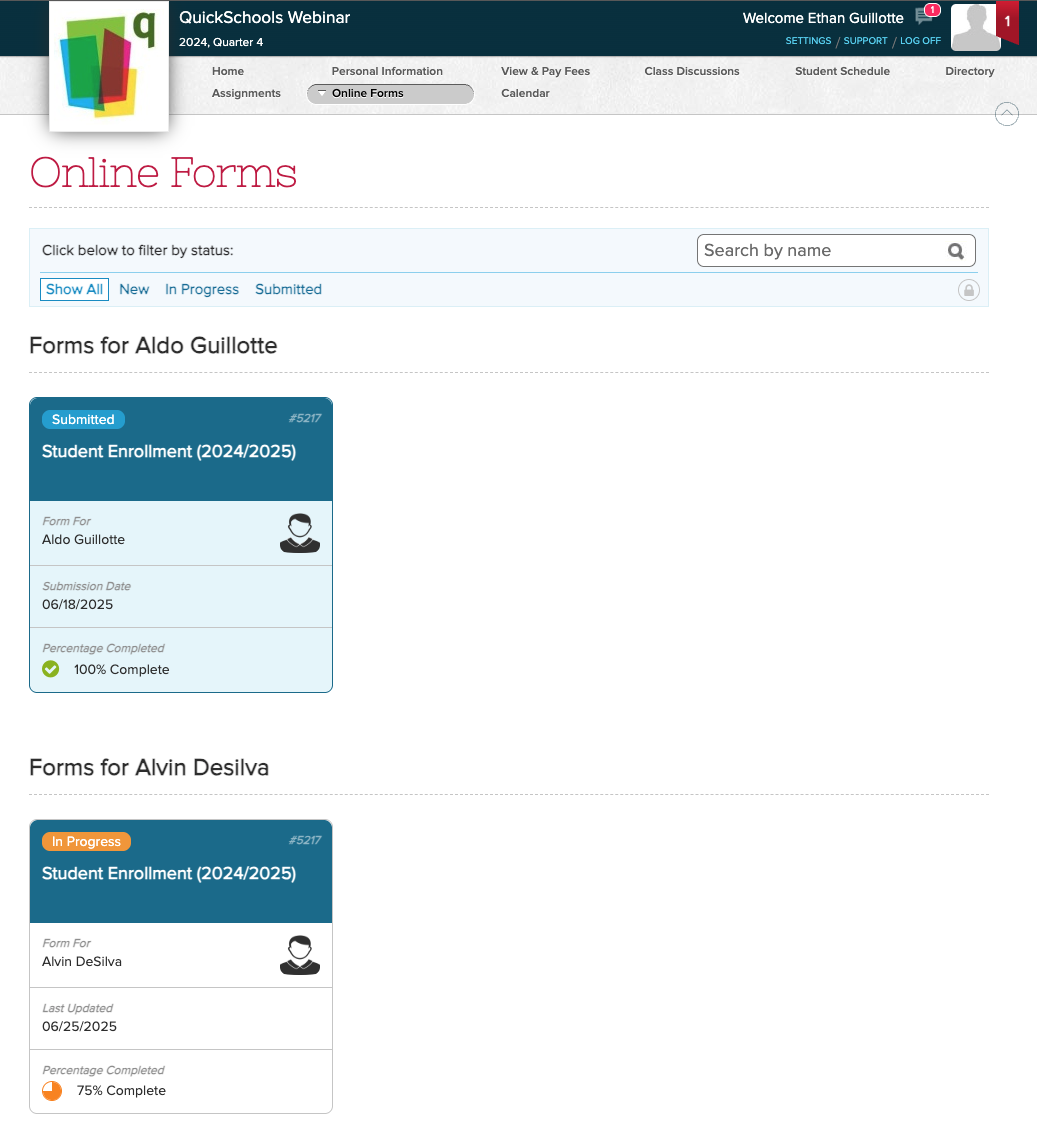
Full list of improvements are below:
Online Forms App
- New “My Submissions” menu (See above) – BETA
Library App Improvements
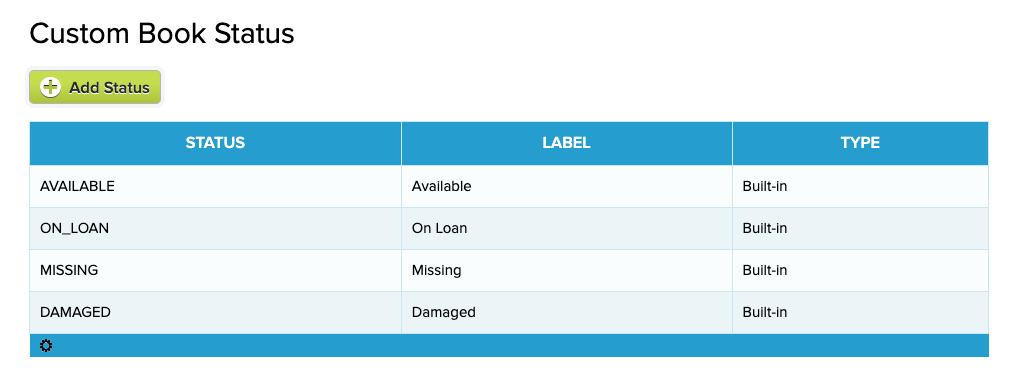
- Support Custom Book Status (See below)
- Improve how ISBN can be scanned
- Improve support for deleted books
- Miscellaneous Cosmetic UI Improvements
- Bug Fix display borrower when student is deleted
General Improvements / Bug Fixes
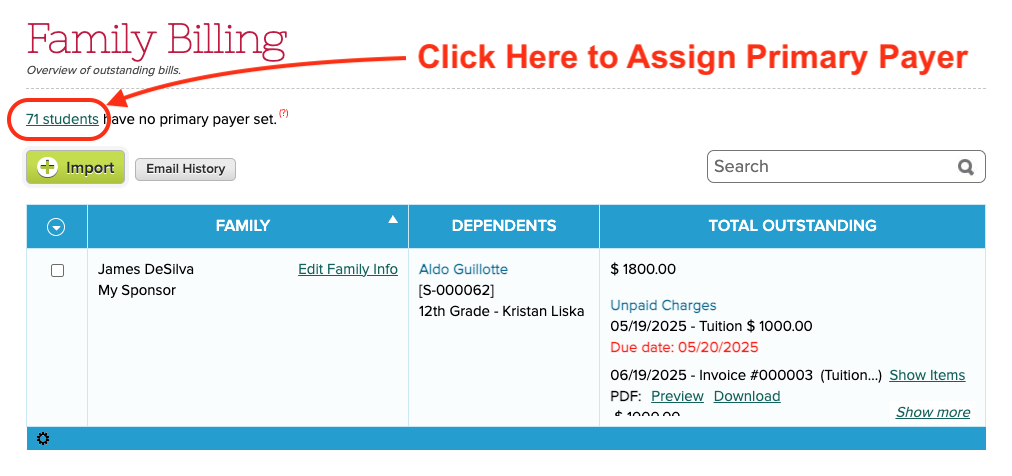
- Improve how Primary Payers are assigned (See below)
- Ability to Search and Sort Email Messaging History
- Support for Fixed Starting Period for courses in Orchestra Master Scheduler
- Miscellaneous UI Improvements to Orchestra Master Scheduler (NEO)
- Miscellaneous UI Improvements to My WorkSpace (Learn)
- Improve Custom Calculation (Java Snippet) Support for Report Cards
- Improve Payment Flow for Online Form Submissions
- Improve Support for Deleted/Inactive Stripe connection
- Improve Support for Two-Factor Authentication (2FA)
- Bug Fix Admissions for new Trial Accounts
Custom Book Status for Library App
The Library App has been in our App Store for quite some time now. And now that we’ve built a stronger customer base, we’re making the module more robust.
One of the key improvements here is the ability to create your own custom Book Status. This setting is available under “Library” > “Configure”:
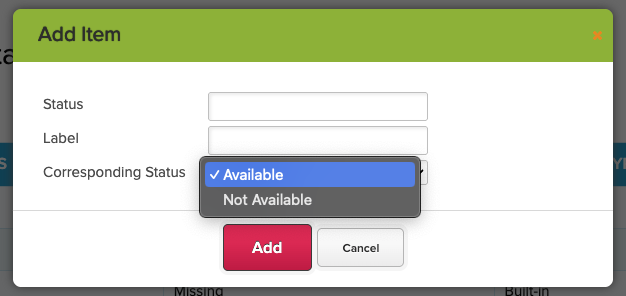
When adding a new Custom Status, you will need to set whether the book should be treated as “Available” or “Not available”:
You can expect more improvements to the Library App module in the next Sprint. Please share your experience using this App, so that we can make further improvements.
Assigning Primary Payers
If you’re using our Fee Tracking module with Family Billing, we’ve created a new screen to make it easier to assign Primary Payers for students. Simply click on the link at the top of the “Family Billing” screen, indicating how many students have not been assigned a Primary Payer:
This will pop-up a dialog box where you can quickly assign one or more of the parents / guardians as the Primary Payer(s) for each student:
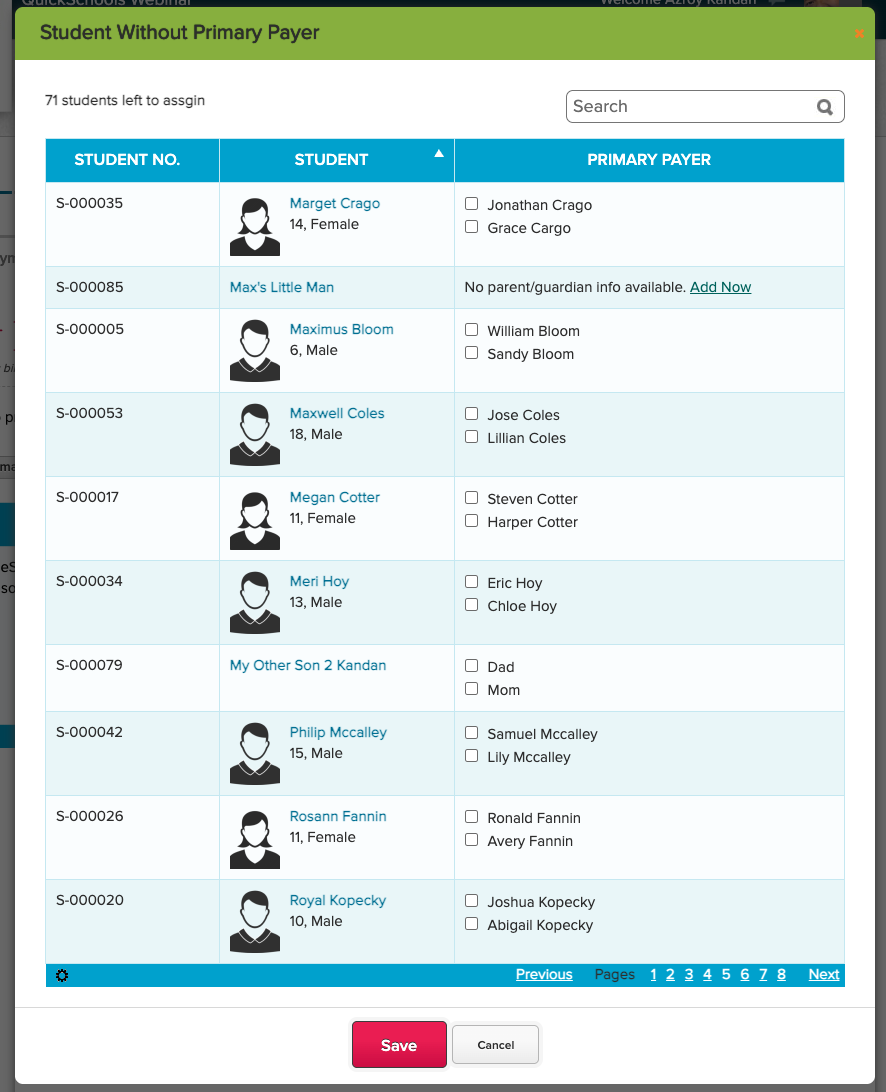
You can also create new parents / guardians directly from this screen, after which you can immediately assign them as Primary Payer. Simply click on the “Add now” link to create a new parent / guardian for the student.

[…] A fresh new look for Online Forms […]